
Artwork Setup Guide
Our in-house artwork team works with all major design and publishing software. If you need assistance adjusting a file, checking your artwork or creating a new bottleneck hanger design, our team can help.
If your order contains several designs or variations, please name each file clearly. Multiple versions can also be supplied together in an organised ZIP folder or PDF where appropriate.

Proofing
Before sending your artwork, check all wording, spelling, contact details, colours, dimensions and positioning carefully.
Our pre-press team will inspect your files and provide a digital PDF proof before printing begins. We will highlight any obvious technical problems we find, but final approval of the design, wording and content remains your responsibility.
While Designing…
Preparing your artwork correctly helps ensure your bottleneck hangers print and finish as intended.
Artwork setup tips:
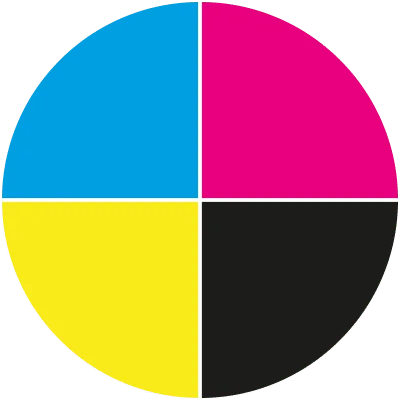
- Create all colours in CMYK rather than RGB.
- Extend backgrounds and images 3mm beyond the trim line.
- Keep important wording and logos at least 5mm inside the finished edge.
- Design your artwork at the final size selected for your order.
- Supply images at a minimum of 150dpi at their finished print size.
- Convert fonts to outlines or ensure they are correctly embedded.
- Check that the size, orientation and finishing specification match your order.
- Keep important content away from cut lines, neck openings, creases and other finishing areas.
- Clearly name individual files when supplying several artwork versions.
- Where suitable, multiple designs can be supplied together as one organised multi-page PDF.
Bottleneck Hanger Artwork
Artwork should be created using the finished dimensions of the bottleneck hanger you are ordering. For the best results, supply a print-ready PDF containing clear, high-resolution graphics and images.
We recommend using the correct artwork template for your chosen hanger size and shape. The template identifies important areas such as the trim line, bleed, safe area and neck cut-out, making it easier to position your design correctly.
General Artwork Guidance
- Confirm your PDF matches the size, shape, orientation and finishing options selected when ordering.
- Double-check spelling, prices, promotional details, contact information and other important copy.
- Keep essential text and graphics inside the recommended safe area.
- Make sure you have permission to reproduce any fonts, photographs, logos or graphics used in your design.
- Files that are incomplete or unsuitable for print may require additional artwork work before production.
- Download the relevant bottleneck hanger artwork template from our Templates page.